The verse appears
the moment it's spoken.
This is the future of preaching — no lost concentration, no delay.
Kavline listens to the sermon in real time. When the pastor references a Bible passage, it appears on the projection — automatically. No searching. No delay. No missed moments.
Free during beta · No payment required
"For God so loved the world, that he gave his only begotten Son…"
— John 3:16
…and as Jesus said in John 3:16, this is the heart of the gospel we're standing on today…
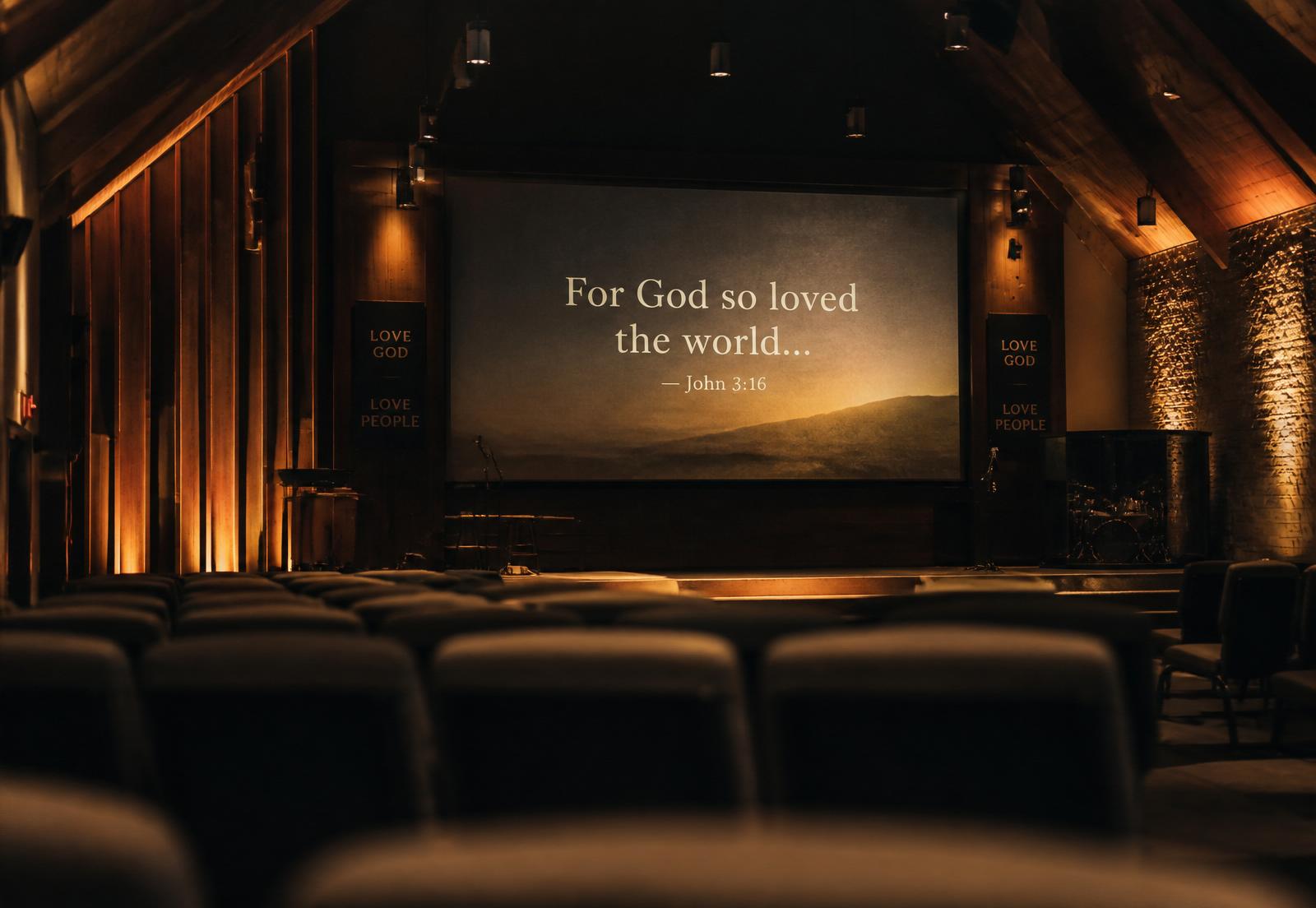
The verse arrives seconds after the moment has already passed.
Every Sunday, someone on the media team is frantically typing references into other church presentation software while the pastor moves on. Verses show up late, in the wrong order, or not at all. The congregation loses the moment — and the media team loses their peace.
One person hunting references while everything else needs their attention.
By the time it's on screen, the pastor has already moved on.
Off-reference stories and paraphrases never make it to the projection.
Three steps. Zero button-pressing.
Kavline listens through any mic input already on your soundboard.
Direct references and contextual paraphrases are matched in real time.
It fades onto your projection instantly. Your team keeps full manual override.
Media team stays in control. Preview, edit, override, or add verses at any time — Kavline is a co-pilot, not an autopilot.
No download. No install. No dedicated computer.
Most tools like this require installing software on a specific Windows or Mac machine. Kavline runs entirely in your browser — open it on a laptop, tablet, or Chromebook you already own. Your media team controls it from one device, the projection screen runs it from another, perfectly in sync. Nothing to install, nothing to update, nothing to break before service.
Laptop, tablet, or Chromebook — if it has a browser, it runs Kavline.
New features and fixes land the moment you refresh. Nothing to reinstall.
Run the controls from the booth and the projection from the sanctuary — in perfect sync.
A calm, focused control panel for your media team.
This is what your team sees during a live service — the sermon transcript on the left, detected verses in the middle, manual search and history on the right. Full control, zero clutter.
“And we know that in all things God works for the good of those who love him…”
“…who have been called according to his purpose…”
“…as Paul writes in Romans 8:28, this promise is not a guarantee of ease…”
“For God so loved the world, that he gave his only begotten Son, that whosoever believeth in him should not perish, but have everlasting life.”
Every word, captioned live.
Kavline transcribes the entire sermon as it happens, so everyone can follow every word — not just the verses. Captions can be projected, mirrored to phones, or saved.
This isn't an accessibility feature we bolted on — it's part of why Kavline exists.
"…and turning to the crowd he began to teach them, saying…"
"…blessed are the poor in spirit, for theirs is the kingdom of heaven…"
"…as we read together in Matthew 5:3, the whole beatitudes open with a promise, not a demand…"
Turn a sermon series into something people keep.
Preaching through a series? Kavline compiles every session's transcript into a clean digital ebook — instantly shareable via a link or QR code. Members scan it on their way out and walk away with the full message in their pocket, not just what they remember hearing.
Simple tiers for every size of church.
Unlike other tools, Kavline listens through your whole service — worship, prayer, and sermon — not just when you remember to press start.
- ✓KJV Bible only
- ✓3 hours/week transcription — covers your whole service
- ✓Live voice detection
- ✓1 user per church
- ✓Kavline branding shown
- ✓All Bible versions
- ✓Remove Kavline branding
- ✓Multiple team members
- ✓Verse history saved
- ✓Font size & display controls
- ✓Sermon transcript → shareable recap (coming soon)
- ✓Everything in Pro
- ✓Multiple languages
- ✓Sermon planner (pre-load verses)
- ✓Contextual detection (headline feature)
- ✓Priority support
All paid tiers include unlimited transcription. Prices in USD; local currency estimate shown based on your location.
Built by church media, for church media.
I spent a decade running projection for Sunday services — every week, watching the same problem play out. Someone was always scrambling to catch up with the pastor. Other church presentation tools are great, but they still need a human hunting references in real time. Kavline is the tool I wanted for ten years. It doesn't replace your team — it gives them their attention back.
That's also why Kavline lives in your browser, not on a hard drive — the same reason projection screens and control panels shouldn't be tied to one machine in one room.
“The Lord gave the word: great was the company of those that published it.”
Common questions.
Does this replace our media team?+
No — and it's not designed to. Your team keeps full manual control at all times. They can override, edit, or add verses in real time. Kavline just handles the tedious hunting so your team can focus on the service.
Which Bible versions do you support?+
The free tier includes the KJV. Pro and Legacy tiers unlock all major English versions (ESV, NIV, NLT, NKJV, CSB, and more), with additional languages on the Legacy tier.
What about verses the pastor doesn't reference directly?+
The Legacy tier includes contextual detection — it can identify a passage from the story or phrasing alone, even when no reference is spoken.
How does it integrate with our current setup?+
Kavline runs alongside whatever you already use — it doesn't replace your soundboard, projector, or existing presentation software. It simply listens to your existing audio feed and displays verses on its own projection screen. Most churches run it on a spare laptop or tablet connected to a second display.
Is the audio recorded or sent anywhere?+
No. Kavline never records or stores your sermon audio — it's processed in real time purely to detect verses, then discarded. (This is separate from any recording your church already does through its own soundboard or AV system, which Kavline has no part in.)
What happens to the sermon transcript afterward?+
During the service, the live transcript is used only for verse detection and live captions. On the Pro tier and above, you'll soon be able to save the full transcript and share it as a formatted recap — with a link and QR code members can scan on their way out — so the message doesn't end when the service does. This feature is coming soon; it's not live yet.
Bring your Sunday service into flow.
Free during the beta. We're onboarding churches one at a time to make sure it works beautifully for you.